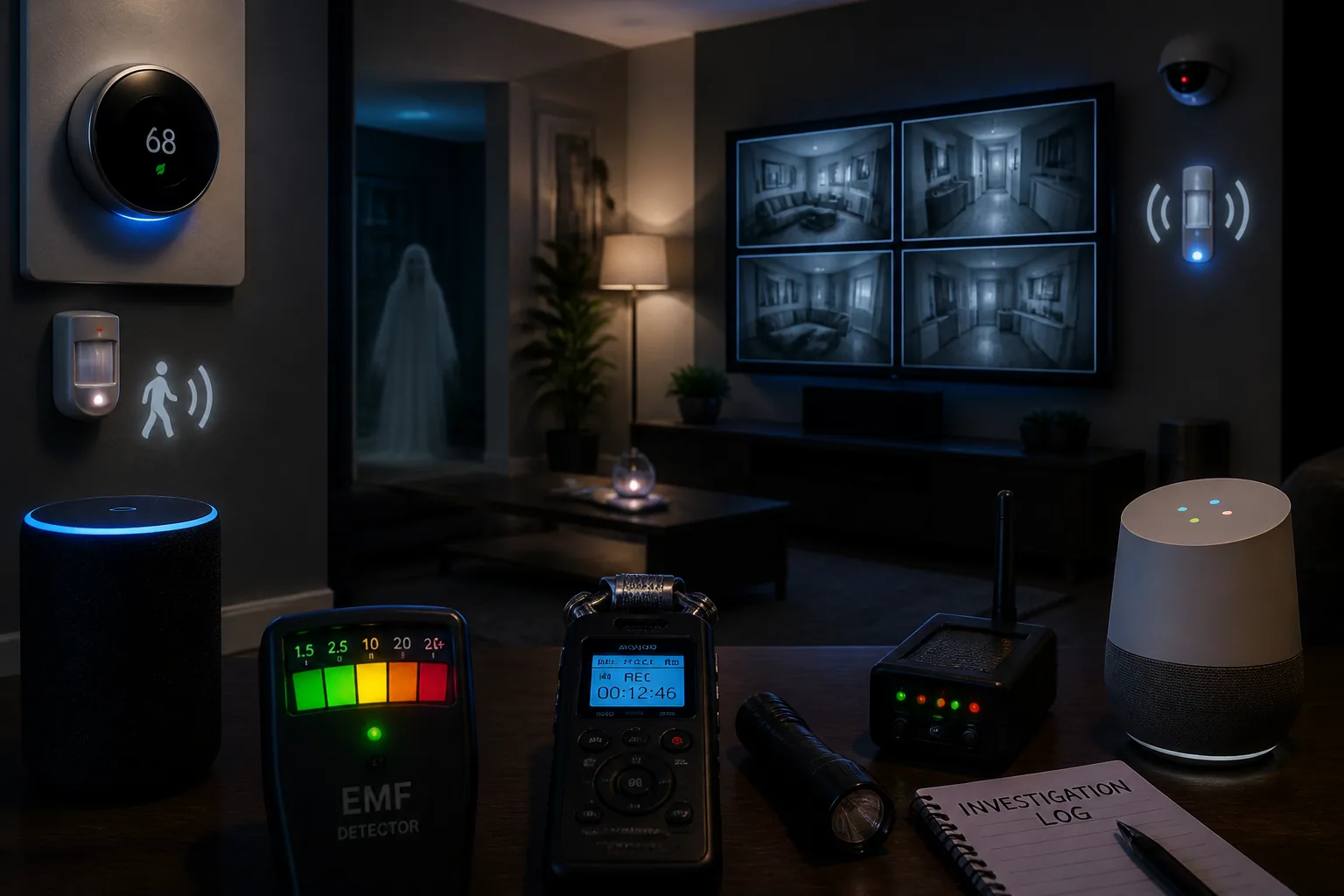
Haunted House Tech Secrets: How Smart Homes Are Making Ghost Hunters’ Gadgets Smarter
Smart homes are changing the way people investigate the paranormal. A house full of connected devices can make a ghost hunt feel more high-tech, more immersive, and sometimes more convincing than ever. But that convenience comes with a catch. The same smart speakers, thermostats, security cameras, motion sensors, and Wi-Fi routers that make a home easier to manage can also create the exact kinds of signals ghost hunters tend to look for: unexplained noises, sudden temperature shifts, blinking lights, and suspicious sensor alerts.
That is why modern homes have become a kind of accidental paranormal test environment. For beginners, this can be confusing. For tech-savvy investigators, it can actually be useful, as long as you know what the devices are doing and how to control them. The goal is not to avoid smart tech entirely, but to understand how it affects your evidence, when it creates false positives, and how to use it to strengthen a session instead of ruining it.
Why Smart Homes Are the New Paranormal Test Environment
A traditional haunted location usually had a few simple variables: ambient sound, lighting, temperature, and maybe a flashlight or two. A smart home adds a network of always-on electronics that constantly interact with the environment. That means more data, but also more noise. Smart thermostats adjust climate automatically. Cameras pings to the cloud. Motion sensors react to heat and radio frequency interference. Smart speakers listen for voice commands. All of that creates a layered environment where normal device behavior can be mistaken for something supernatural.
This is one reason smart homes are so important for ghost hunters to understand. They can provide better timestamps, better coverage, and more control, but they also make it easier to generate false evidence if you do not document every automated action. In other words, the house itself becomes part of the experiment.
How IoT Devices Can Mimic Paranormal Signals
Internet-connected devices are especially tricky because they often produce the same kinds of sensory effects people associate with hauntings. A smart speaker can emit a low hum, a security camera can make a faint clicking noise, and a thermostat can kick on with a sudden burst of air that feels like a cold spot. Even a motion sensor that has been irritated by radio frequency interference can look like a meaningful trigger when it is really just reacting to its surroundings.
Research on paranormal investigations shows that smart home devices like Alexa, smart thermostats, and security systems continuously emit electromagnetic fields, which can distort audio recordings and create static, humming, clicking, or voice-like artifacts that are often mistaken for EVP evidence: https://www.paraghosts.com/how-electromagnetic-fields-influence-evp-recordings-in-paranormal-investigations/
Motion sensors can also be fooled. Wi-Fi routers, smart meters, cell towers, and other RF-emitting devices may trigger false positives on PIR sensors, especially when strong radio frequency fields interfere with internal circuits: https://www.pirhome.com/?p=3703
EMF, Audio Noise, and Thermal Anomalies Explained
If you investigate with electronic gear, it helps to think like a troubleshooting technician. EMF readings can rise because of wiring, power supplies, nearby appliances, or wireless traffic. That does not automatically mean the area is paranormal. Likewise, audio contamination can come from buzzing chargers, HVAC systems, refrigerator compressors, and even distant traffic feeding into a sensitive mic. A weird sound is not always a spirit box answer. Sometimes it is just a noisy electrical environment.
Thermal anomalies are equally easy to misread. Smart thermostats can produce what some people call ghost readings when they are placed too close to heat sources, exterior walls, or direct sunlight. Those placement issues can create strange localized temperatures that look suspicious if you do not know the physical cause: https://www.mymove.com/heating-cooling/thermostat-ghost-readings/
There is also the influence of HVAC cycles. Heating and cooling systems naturally create temperature shifts as they cycle on and off, and smart thermostats adjust to maintain comfort or efficiency. That can produce brief cold spots or warm flashes that feel eerie in the moment, but are completely normal from a mechanical point of view: https://en.wikipedia.org/wiki/Smart_thermostat
Using Smart Speakers and Voice Assistants During EVP Sessions
Smart speakers are often treated as a problem, but they can also be a useful tool if used carefully. During EVP sessions, a voice assistant can serve as an environmental marker, a timing reference, or a controlled noise source if your investigation method calls for it. For example, you might use a voice command at the beginning of a session to establish a timestamped baseline, then silence the device and document every response that follows.
The key is to keep the speaker’s behavior predictable. If the assistant is set to respond to wake words in the middle of a session, those accidental activations will contaminate your results. If you do use one, make sure its microphone, notification sounds, and automation routines are disabled or fully documented. Otherwise, a perfectly ordinary announcement can sound like a paranormal voice in your recording.
Voice-activated recorders can reduce your workload by only capturing sound when audio exceeds a threshold, but poor threshold settings often cause them to trigger on HVAC noise, movement, or traffic. The result is a pile of fragmented recordings that look unusual but are really just bad sensitivity settings: https://blog.eyespysupply.com/2026/01/24/using-voice-activated-recorders-for-ghost-hunting-and-evp-investigation/
How Motion, Door, and Window Sensors Can Support Investigations
Door and window sensors are some of the most useful smart home devices for ghost hunting because they create clear event logs. If a door opens, a window shifts, or a hallway is breached, the alert can be matched against audio, video, and investigator notes. That makes it easier to test whether a sound, movement, or shadow had a physical cause.
Used properly, motion sensors can help you watch for patterns. A hallway sensor that repeatedly triggers at the same time every night may not be paranormal at all. It could be a draft, a pet, a heat source, or RF interference. But if you pair the sensor with a camera and a sound recorder, you can confirm what actually happened instead of guessing.
The important thing is to reduce ambiguity. Label each sensor, note its range, and record what nearby electronics are active. If a sensor goes off near a Wi-Fi router, smart hub, or high-traffic RF device, that context matters just as much as the alert itself.
Making the Most of Security Cameras and Synced Recordings
Security cameras are one of the best upgrades you can bring to a ghost hunt at home. They help you see what happened before, during, and after a strange event. When synced with motion sensors or audio recorders, camera feeds create a timeline that makes it much easier to verify whether a bump, flash, or noise had a normal cause.
For example, a camera can show that a hallway light was triggered by an automation routine, not a presence moving through the room. Or it can reveal that a door sensor event came from a breeze rather than unexplained activity. That is why synced recordings are so valuable. The more you can cross-check one device against another, the less likely you are to fool yourself.
If you are using multiple cameras, make sure the timestamps are aligned before the session starts. Even a small clock mismatch can make a normal event look suspicious. And if your cameras connect to the cloud, verify that you understand where the footage is stored and who can access it.
Common False Positives Caused by Automation and Wi-Fi
One of the biggest problems in a smart home ghost hunt is automation. Scheduled lights, thermostat routines, security pings, and app-based scene changes can all trigger motion, cast shadows, or create sounds at exactly the wrong moment. If you do not map those routines in advance, they can easily be mistaken for paranormal events.
Wi-Fi can also be part of the problem. Smart speakers and appliances running on 2.4 GHz or 5 GHz bands may interfere with recording gear and motion sensors, contributing to audio contamination or sensor misreads: https://www.pirhome.com/?p=3703
The simplest fix is to create a device inventory before the session. List every smart bulb, thermostat schedule, camera alert, speaker routine, and sensor in the area. Then temporarily disable anything unnecessary. If a trigger is supposed to happen, write it down. If it was not documented, treat it as suspicious until proven otherwise.
How to Build a Low-Interference Ghost Hunting Setup at Home
A low-interference setup is all about control. Start with a room that has as few active devices as possible. Turn off nonessential automations, unplug unnecessary chargers, and reduce competing wireless traffic if you can. Place your recorder, camera, and sensors in fixed locations so you can compare one session to the next.
Try to keep heat sources, direct sunlight, and exterior walls away from thermostats or thermal sensors. Avoid stacking devices on top of each other, since crowded electronics can generate extra EMF and noise. If possible, test the room in advance and note what the baseline looks and sounds like with no investigation underway.
The best setups are boring at the start, because that is what makes unusual events easier to trust later. A quiet baseline gives you something real to compare against.
Creative Ways Smart Lighting and Scenes Can Enhance Sessions
Smart lighting is not just a source of problems. It can be used creatively to improve the atmosphere and documentation of a session. For instance, a pre-programmed lighting scene can help you establish a controlled starting point, while a separate scene can mark the end of an EVP session. That makes it easier to locate key moments later when reviewing footage.
Lights can also help you test claims more carefully. If a report says a room got darker or a shadow moved, you can compare it to the exact lighting state at that time. Just remember that scene changes themselves can become false positives if they are not documented. If a bulb dims automatically, note the time and reason.
Used intentionally, smart lighting turns a vague atmosphere into structured evidence. It gives you one more layer to compare against audio and sensor logs.
Privacy, Safety, and Responsible Recording with Connected Devices
Privacy matters a lot in ghost hunting, especially when cameras, speakers, and cloud-connected apps are involved. Smart home devices collect large amounts of data, and misconfigured assistants or cameras may stream, store, or expose audio and video without proper consent. Research has highlighted the sensitivity of data collected by voice assistants and connected devices, especially when users do not fully understand what is being recorded: https://arxiv.org/abs/2007.00500
Before a session, make sure everyone present knows which devices are recording and where the files will go. Disable features you do not need, protect accounts with strong passwords, and avoid sharing private household footage casually on social platforms. If the goal is to document a haunting, the goal should not be to compromise someone’s privacy in the process.
Responsible data handling also means organizing your evidence. Rename files, tag timestamps, and store notes in a way that helps you review findings later without confusion. Good documentation is part of ethical investigation.
Best Practices for Ectify Users Integrating Smart Home Tech
If you are using Ghost Detector: Ectify, smart home devices can complement the experience very well. Ectify turns your smartphone into a ghost hunting tool with real-time EMF detection, a spirit box and EVP generator, recording, sharing, and session history. That makes it especially handy when you want to compare your phone-based readings with the behavior of nearby smart devices. You can learn more here: https://findthe.app/ectify-fc72z0
A practical workflow is to use Ectify as your central session log while your smart home tools provide supporting context. Start with a clean baseline, run your session, and note every thermostat change, sensor alert, or camera notification alongside the app’s EMF readings and audio capture. If something spikes, ask whether it matches a known device behavior before treating it as paranormal.
Because Ectify records your sessions and helps you review them later, it works best when your environment is clearly documented. The more structured your smart home setup is, the more useful your recorded evidence becomes.
Final Checklist Before You Start a Smart Home Ghost Hunt
Before you begin, make sure you have a full inventory of devices in the investigation area. Check thermostats, cameras, speakers, lights, motion sensors, and door or window contacts. Confirm which routines are active and which ones have been paused. Align your clocks, test your recording equipment, and verify that your sensors are not sitting near obvious interference sources like routers, chargers, or heat vents.
Then do a short baseline test. Listen for hums, watch for false motion alerts, and confirm whether your camera timestamps match your notes. If something odd happens, record the context first and the theory second. That habit alone will save you from many bad conclusions.
Smart homes do not just make ghost hunting more complicated. They also make it more measurable. When you understand the technology, you can use it to catch false positives, improve your evidence, and create investigations that are cleaner, smarter, and more convincing.
